Blackmagic ATEM
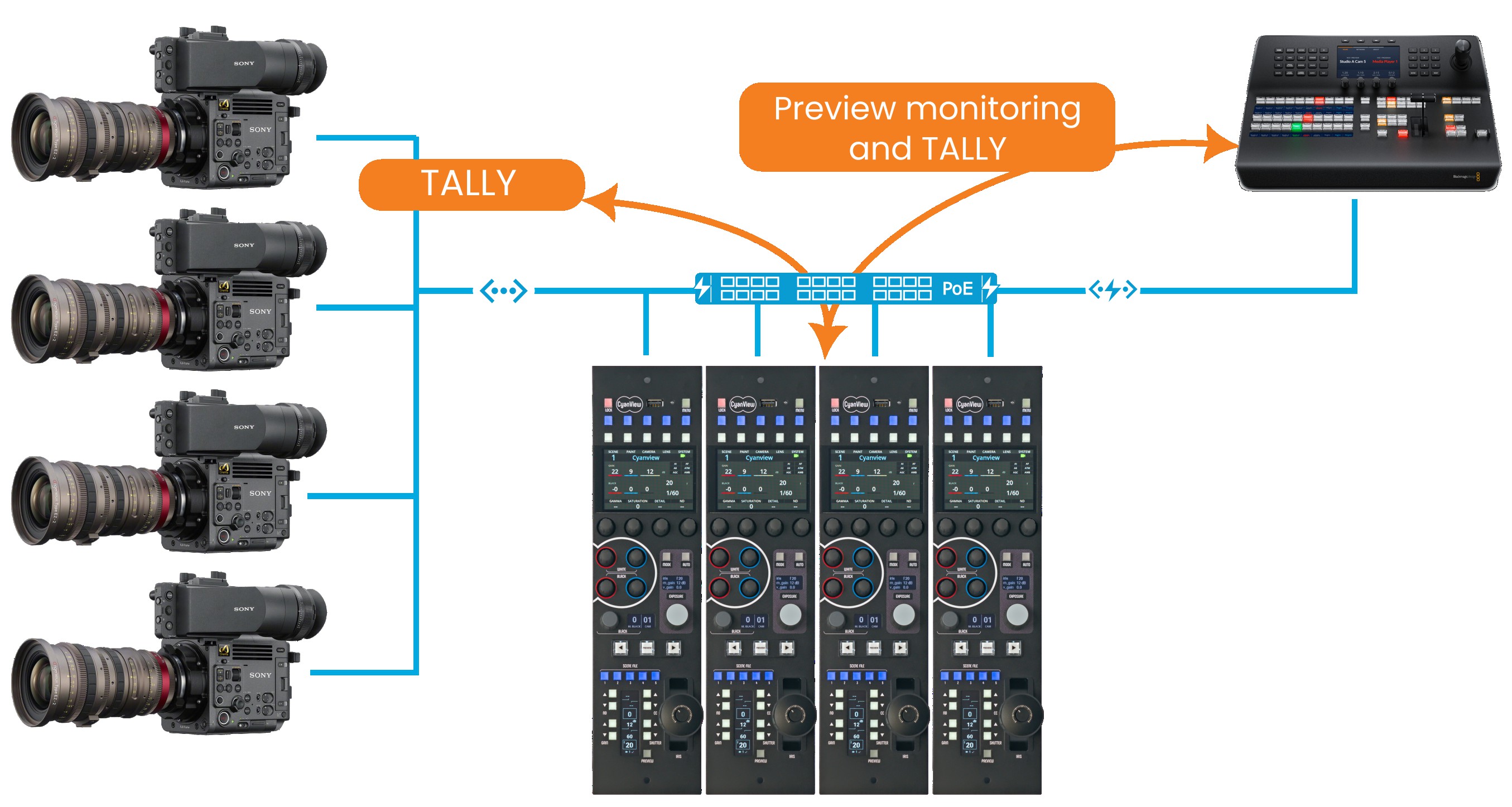
The Blackmagic ATEM integration provides the following features:
- Synchronize RCP preview switching with the ATEM monitoring output.
- Receive tally states from the Atem. It is possible to get tally from another M/E.
- Control cameras through the ATEM (See Blackmagic Cameras for this feature).
Configuration
-
Add an ATEM module to the RCP configuration
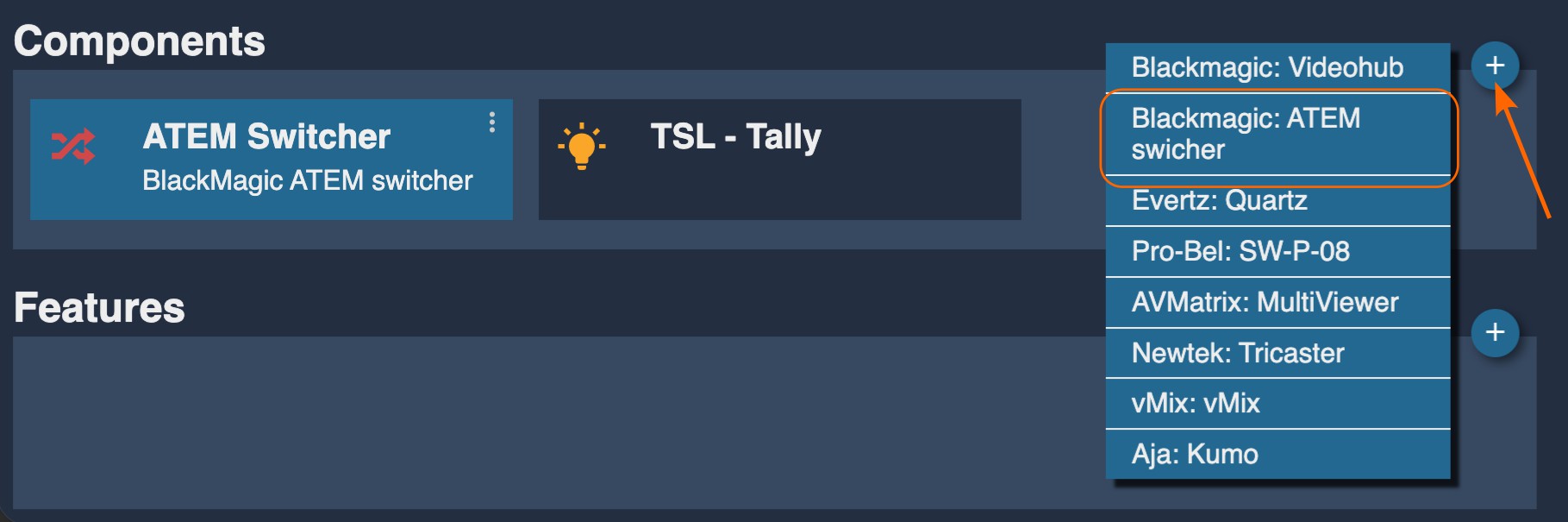
-
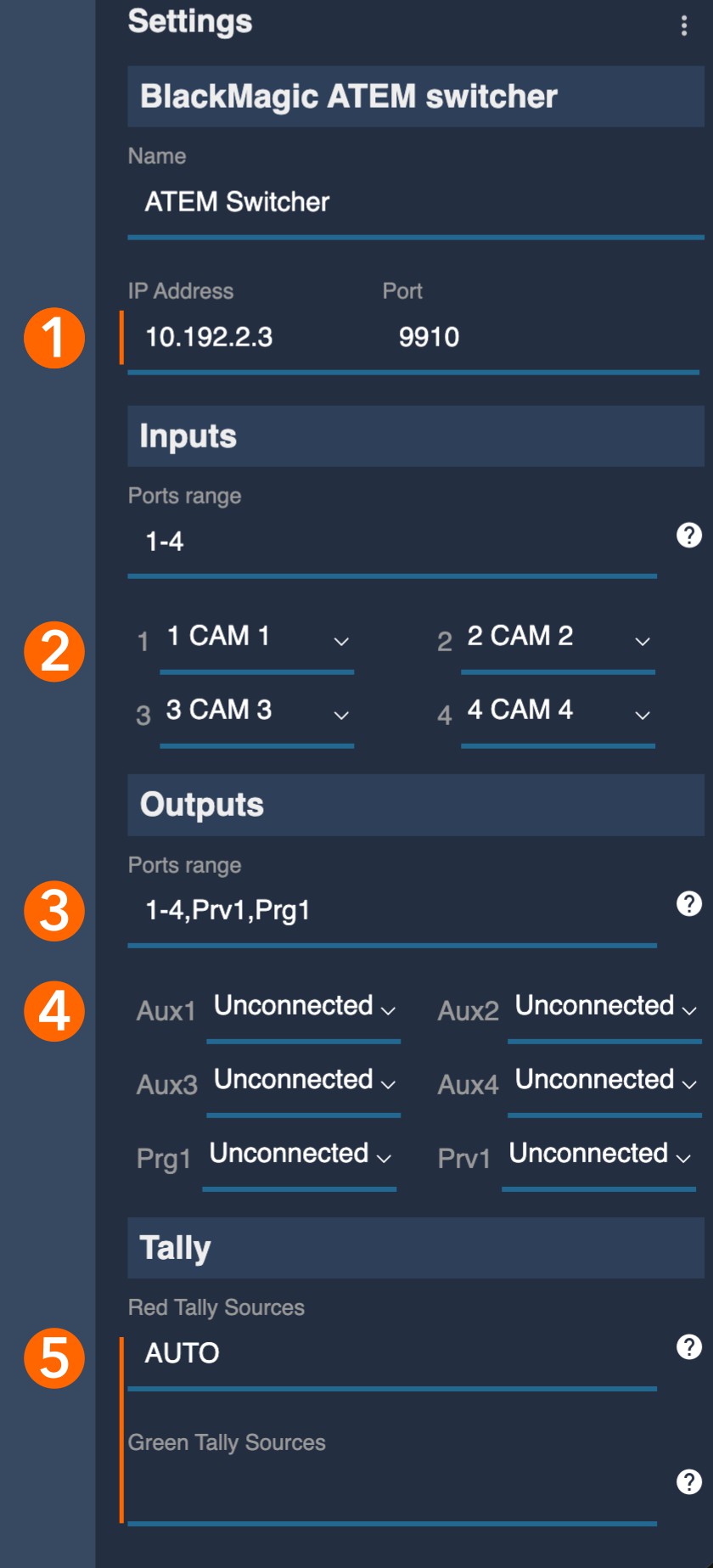
Configure the Atem:
-
[1] Set the IP address of the ATEM.
-
[2] Configure the mapping of the cameras defined on the RCP and the video inputs of the ATEM. You can set the number of inputs available on your ATEM model in the "Ports range" field using the input number.
-
[3] Specify which monitoring outputs the RCP should be able to access. The default value "1-4,Prv1,Prg1" corresponds to AUX1 through AUX4, as well as the preview and program outputs. Refer to the section below for details on this nomenclature.
-
[4] Select which output will be synchronized with the RCP camera selection.
-
[5] Specify which output should be used as the source for tally. If you leave this field empty, tally will be disabled. Setting it to
AUTOuses the ATEM's built-in tally information, which allows tally to be set for multiple cameras if they are on air simultaneously. Selecting a specific output, such asPrg2, will use the second M/E program output as the tally source, but this will only report one camera at a time.
-
Output ports and labels
In the Ports range section or Tally sources, you can specify any of these options:
- 1-4: AUX1 through AUX4 outputs
- Prv1: Preview output of M/E 1
- Prg1: Program output of M/E 1
- Prv2: Preview output of M/E 2
- Prg2: Program output of M/E 2
- Prv3: Preview output of M/E 3
- Prg3: Program output of M/E 3
- Prv4: Preview output of M/E 4
- Prg4: Program output of M/E 4
The values can be combined with comma and dash to define a range:
- 1,4-6: inputs or AUX outputs 1 and 4 to 6