RCP UI - Power Management
The RCP power management controls are available from two menus:
MENU > SYSTEM > POWERMENU > SYSTEM > SYS CTL
Power
Path: MENU > SYSTEM > POWER
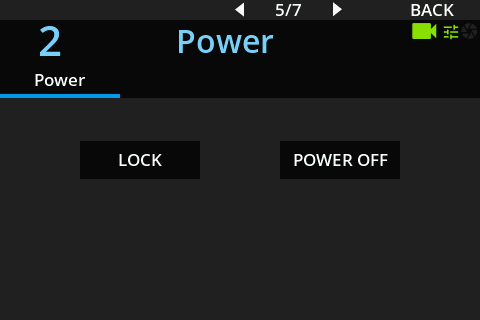
| Command | Description |
|---|---|
| LOCK | Locks the RCP panel controls. |
| POWER OFF | Switches off the RCP controls. Press the Power/Lock button again to switch them on. |
System Control
Path: MENU > SYSTEM > SYS CTL
The SYS CTL menu gives access to maintenance commands that temporarily stop RCP control.
| Command | Description |
|---|---|
| Reboot System | Reboots the complete RCP system. |
| Restart Application | Restarts only the RCP application. |
warning
These commands make control unavailable for several tens of seconds. Control is impossible during this period.