RCP UI - IP Configuration
You can access this menu with: MENU > SYSTEM > IP CONF
IP Configuration
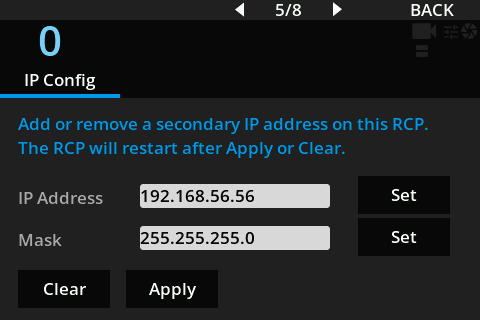
This screen allows you to manually add an IP address to the RCP from the touch interface.
It is mainly useful during first setup, when the RCP needs to be made reachable on a local network where access to the default 10.192.x.x range is difficult or unavailable. By adding an address that matches the local network, the RCP can be reached more easily for configuration or integration without first changing the surrounding network setup.
The RCP does not check whether the entered IP address is already used by another device on the network. It also does not perform strict validation that the IP address and mask are a coherent pair for the target network.
Before applying the configuration, make sure the address is available and that the mask matches the network where the RCP will be connected.
Actions
| Button | Description |
|---|---|
| Set | Opens the numeric keyboard for the selected field. |
| Apply | Applies the IP address and mask entered in the fields. |
| Clear | Removes the configured IP address. |
Applying or clearing the IP configuration restarts the RCP. The operation usually takes about 20 seconds before the RCP is available again.